Three short steps. The whole thing takes about a minute.
Ensure you're already logged into eBay in your web browser.
If you're not logged into eBay, log in like you normally would. That's it. Unlike other services, Zero Hour will never ask you for your eBay password. It's your browser that will place your auction bids.
Install the browser extension.
Install Zero Hour from the Chrome Web Store. It works on Chrome, Edge, Brave, Opera, and Vivaldi. After installing, click the puzzle-piece icon in your browser toolbar and pin Zero Hour so it stays visible.
Set your computer to stay awake for the auction end.
Zero Hour places your eBay auction bids from your own web browser, so your computer needs to be awake when the auction ends. Do this ahead of time, it's just a couple of clicks in your normal system settings. The screen can still turn off, only the computer itself needs to stay awake.
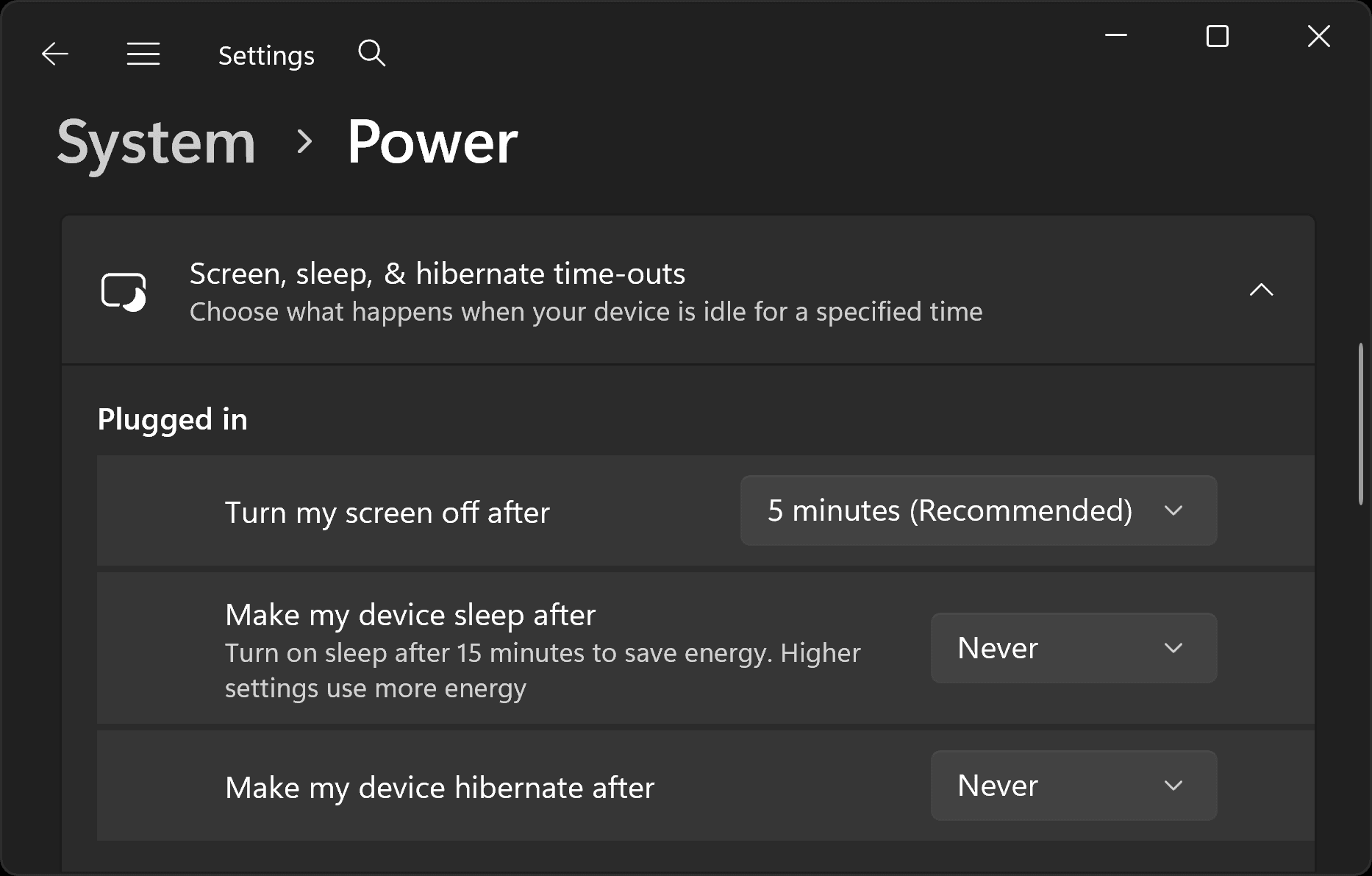
- Open Settings, then System, then Power & battery, then Screen and sleep.
- Set device sleep after to Never. The screen setting above can stay as it is.
- Open System Settings, then
- MacBook: open Battery settings.
- Desktop Mac: open Energy settings.
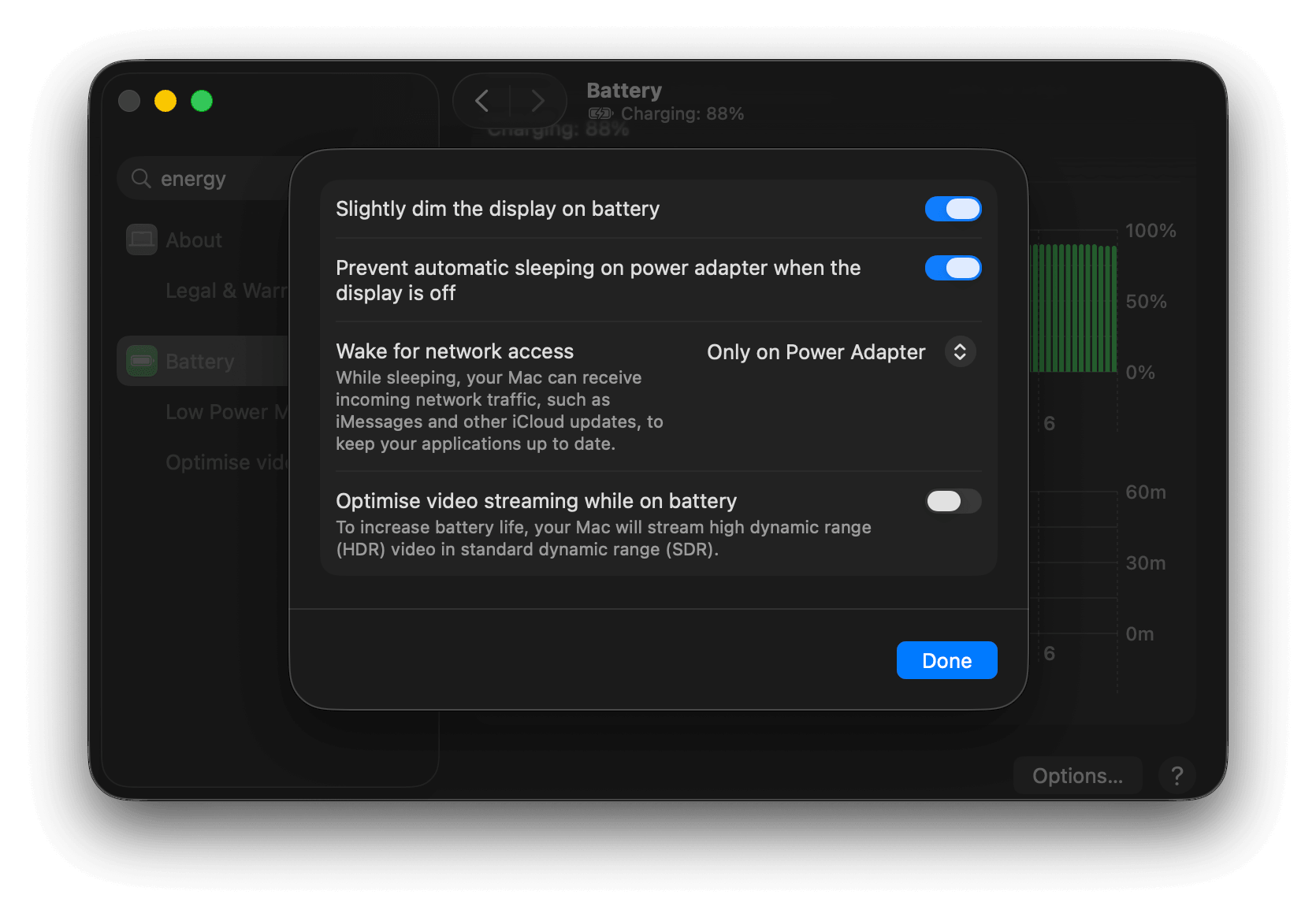
- Enable sleep prevention.
- MacBook: open Options (bottom of the Battery screen), then toggle on Prevent automatic sleeping on power adapter when the display is off.
- Desktop Mac: toggle on Prevent automatic sleeping when the display is off.
You're set.
View any eBay auction page in your web browser. Hit the Snipe this auction button, which appears beneath the normal eBay bid button thanks to our extension. Enter your maximum bid and save the snipe. Zero Hour will handle the rest.